v1.0.0 will introduce breaking changes to this documentation
This guide is intended for use when developing the Core Agent locally, if you’re interested in using the Core Agent locally. See running an instance locally Building the latest version of the source code locally on Linux and Windows takes ~10 minutes, use the following steps
Clone the latest version locally
Go to latest source version, copy the repo web URL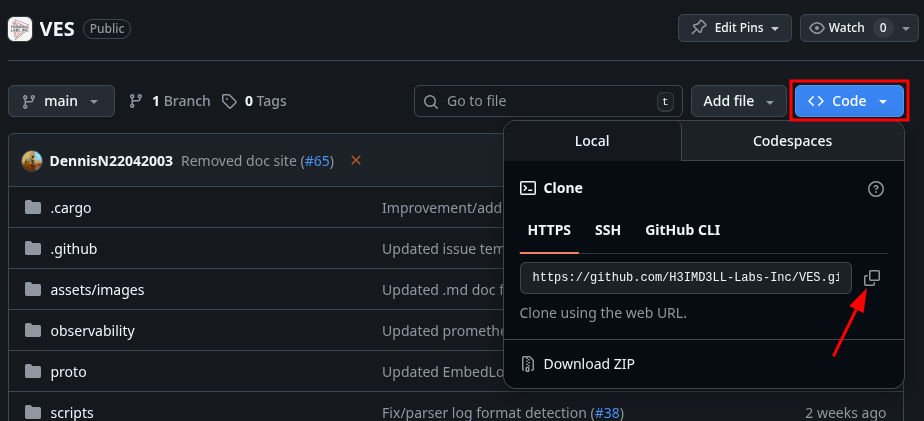
Build an executable binary from your local repo
Go to the repo’s root directory and run the cargo build command to get an executable binary
The
--locked when building the source ensures you use the exact dependency version specified in the Cargo.lock file, DO NOT manually edit this file!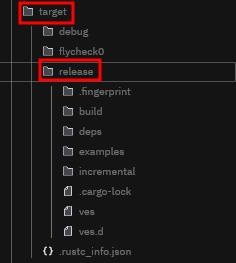
You now have the Core Agent binary on your PC configured with default configuration options.
Next Steps
Configuration Guides
Get started with your own configuration options
Contributing
Get started contributing to developments and improvements